

Contact
Write to Us And We Would Be Happy to Advise You.
Do you have any questions, or would you like to speak directly with a representative?
By Fariha
Niceone-Keypad designs and manufactures custom membrane switches for OEM engineers, procurement teams, and product developers who need a low-profile HMI that matches their enclosure, circuit, overlay, tactile feel, and sealing requirements. A membrane switch works by keeping an electrical circuit open until the user presses a key area; that press brings conductive contacts together, sends a signal through the circuit tail or connector, and then returns to the open state when released.
This page explains the inside structure in buyer-friendly language, not as a textbook definition. You will see how the four basic layers work, what happens during the press-and-release cycle, why membrane switches wear differently from mechanical buttons, and which design details affect waterproofing, tactile feedback, backlighting, and RFQ accuracy.
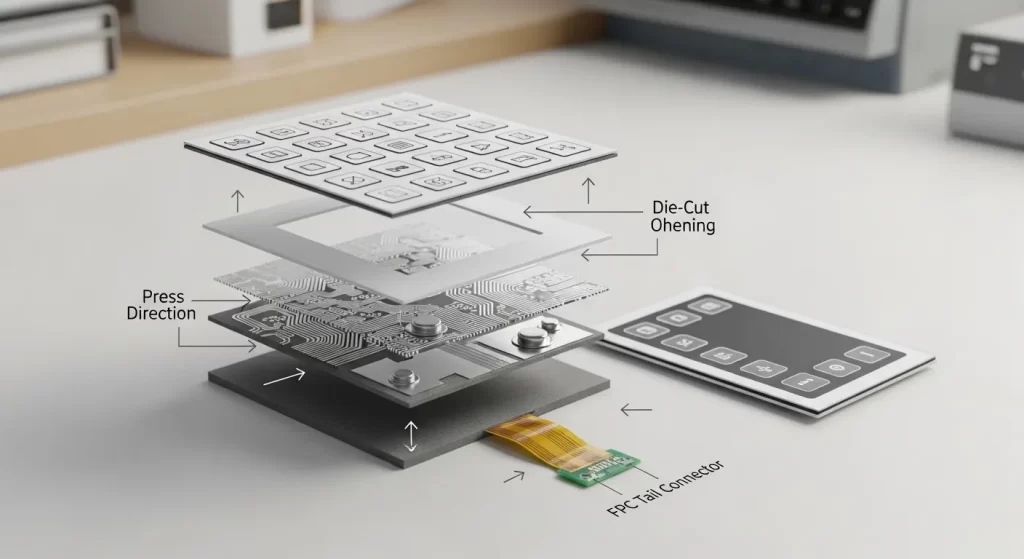
A membrane switch is usually a momentary electrical interface. In its resting state, the circuit is open. When the user presses a printed key area on the graphic overlay, the flexible layers move downward and close the circuit at a defined contact point.
That signal then travels through the printed circuit, FPC, or PCB-based circuit to the device controller. When the user releases the key, the layers separate again and the circuit returns to its normal open state.
For a buyer, the important point is simple: the visible keypad is only the top layer. The real performance comes from the stack-up underneath, including the spacer gap, conductive traces, dome or contact design, adhesive system, tail direction, and sealing method.
A custom membrane switch can include many layers, especially when it needs metal domes, LED backlighting, ESD shielding, light guide film, rigid backers, or PCB support. However, the easiest way to understand the working principle is to start with four core layers.
| Basic layer | What the buyer sees | What it does | Common options | RFQ detail to confirm |
|---|---|---|---|---|
| Graphic overlay | Printed icons, colors, windows, buttons | Protects the switch and guides the user | PET, PC, hardcoat, embossing, display windows | Size, color, texture, window, cleaning exposure |
| Spacer / adhesive layer | Usually hidden | Keeps the circuit open until pressed | Die-cut spacer, pressure-sensitive adhesive, vent paths | Key size, spacing, sealing target, housing surface |
| Circuit / contact layer | Hidden electrical layer | Closes the circuit and sends the signal | Silver ink trace, carbon contact, FPC, PCB, metal dome | Pinout, tail direction, connector, tactile or non-tactile |
| Rear adhesive / backer | Mounting side | Bonds the switch to the enclosure or support | Rear adhesive, FR4, aluminum, plastic backer | Enclosure material, mounting area, surface condition |
This simplified stack-up helps procurement and non-EE buyers understand what they are reviewing in drawings. For more detailed design constraints, Niceone’s engineering team can help review stack-up choices such as dome layout, tail exit, adhesive selection, and sealing design. See the related design guide: membrane switch engineering design rules.
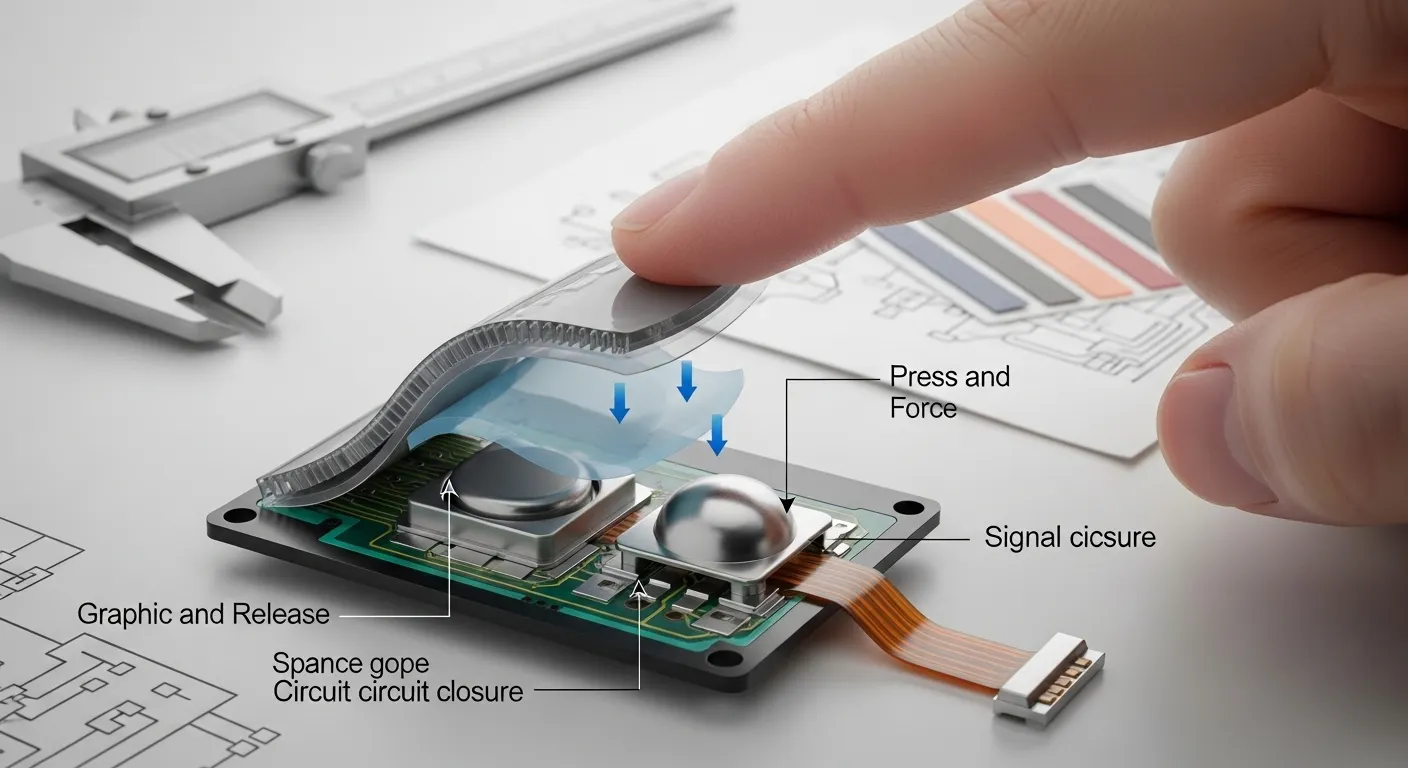
When a finger presses the key area, force transfers through the graphic overlay. The top layer bends slightly at the printed button location.
Below that surface, the spacer layer creates a controlled air gap. This gap is important because it keeps the conductive surfaces apart until the user applies enough pressure. Without a properly designed spacer opening, the switch may feel poor, trigger inconsistently, or fail to reset cleanly.
In a tactile membrane switch, the press often collapses a metal dome or polydome. The dome creates the “snap” or click feel. At the bottom of the stroke, the dome or conductive contact bridges the circuit pads and sends the input signal.
In a non-tactile membrane switch, there may be no metal dome. Instead, the flexible circuit layer or shorting pad makes contact when pressed. The user may rely on the device display, LED, sound, or software response for confirmation.
For custom projects, this is where engineering decisions start to matter. Key size, actuation force, dome choice, spacer thickness, printed circuit layout, and tail connector position all affect the final user experience.
After the user removes pressure, the switch must return to its original open state. In tactile versions, the metal dome or formed dome recovers its shape. In non-tactile versions, the flexible film layers separate again.
This reset behavior is one reason the spacer and venting design matter. The internal layers need enough room to move down and recover without trapping pressure in the wrong area. For sealed or waterproof membrane panels, the design must balance environmental protection with reliable actuation.
A good release cycle should feel predictable. The key should not stay partially engaged, double-trigger, or feel flat unless a flat non-tactile feel is intentional. That is why buyers should not specify only the graphic size and color. They should also confirm the key feel, circuit type, and operating environment.
A membrane switch does not work like a traditional mechanical pushbutton with exposed moving parts, springs, housings, and separate button caps. Its switching action happens inside a thin, sealed stack of flexible layers.
This structure helps reduce exposure to dust, moisture, cleaning fluids, and debris. The graphic overlay protects the printed circuit below, while the adhesive and spacer layers help control where movement occurs. In many industrial, medical, home-appliance, marine, and food-processing interfaces, that sealed low-profile design is a major reason buyers choose membrane keypads.
However, the writer, engineer, or buyer should not treat “durable” as an automatic claim. Service life depends on the materials, dome design, circuit construction, operating force, environment, sealing method, and how the switch is mounted.
If your team is comparing this technology with a computer-style keyboard or mechanical button assembly, this related comparison may help: membrane switch vs keyboard comparison.
Tactile membrane switches use a dome structure to create physical feedback. The user feels a snap when the key actuates. This is useful when operators wear gloves, work around noise, or need confidence that a button has been pressed.
Non-tactile membrane switches can be flatter and quieter. They still close a circuit, but they may not create a strong click. They are often used when the device provides another type of feedback, such as a display change, LED, buzzer, or software response.
Capacitive switches work differently. Instead of relying on the same press-to-contact mechanism, a capacitive interface detects a change in capacitance near the touch area. This can create a smooth modern control surface, but the right choice depends on the user environment, glove use, water exposure, cleaning process, and controller design.
Niceone-Keypad can support membrane switches, silicone rubber keypads, capacitive switches, dome labels, graphic overlays, and backlighting solutions. The best option depends on the product’s interface goal, not only on appearance.
Once the buyer understands how a membrane switch works, the next step is to define the design details that control performance. These details should be discussed before tooling, not after samples are made.
Key points to confirm include:
For waterproof or IP-rated membrane switches, avoid assuming one structure fits every device. The overlay seal, adhesive border, tail exit, connector area, venting method, and enclosure design all affect the final result. If a project requires a specific IP rating, the requirement should be stated early in the RFQ.
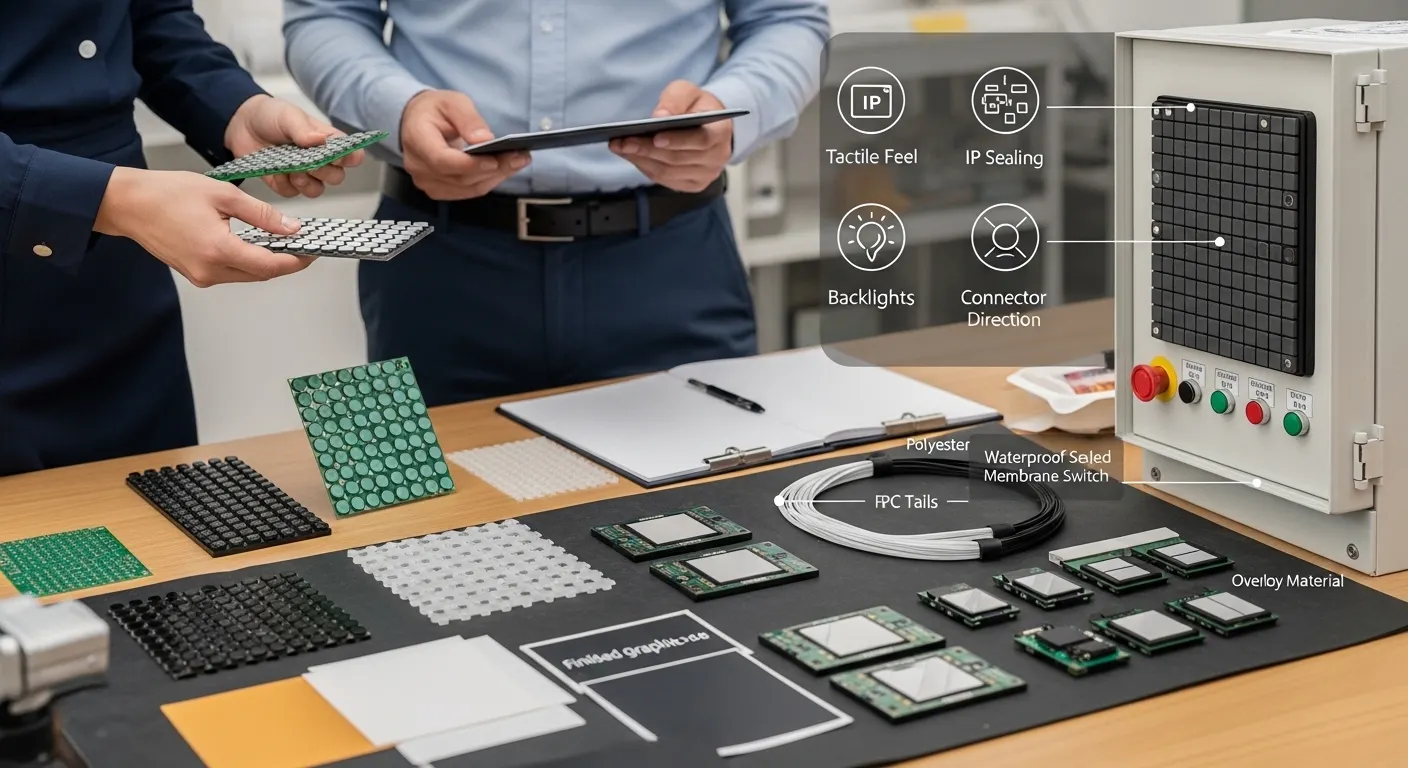
A clear RFQ helps Niceone’s design studio and Dongguan production team understand the interface before recommending a stack-up. You do not need to have every engineering detail finalized, but the first discussion should include the use case and any known constraints.
Send these details when available:
Niceone-Keypad has a custom membrane switch factory in Dongguan, China, and a US office in Redding, Connecticut. Buyers can send drawings for review, or describe the product idea when the drawing is not ready yet.
No. A metal dome creates tactile snap feedback, but a non-tactile membrane switch can still close the circuit through a flexible contact design. The right choice depends on user feedback, device type, and operating environment.
Most membrane switches are momentary normally open interfaces. Pressing the key closes the circuit, and releasing it opens the circuit again. The final circuit behavior should still be confirmed in the electrical design.
A membrane switch uses thin printed layers, adhesive, spacer gaps, and flexible contacts. A mechanical button usually has more separate moving hardware. This makes membrane switches useful for sealed, low-profile control panels.
Yes, it can be designed for waterproof or IP-rated applications, but it is not automatic. The seal, adhesive, tail exit, enclosure, and test requirement should be specified before quoting.
Tactile versions give a physical snap, usually through a dome. Non-tactile versions feel flatter and often rely on screen, LED, sound, or software feedback to confirm the input.
Send the drawing or concept, dimensions, key layout, environment, IP target, tactile preference, overlay requirement, backlighting need, connector details, pinout, and housing material if available.
Need help turning your control-panel idea into a working membrane switch? Send Niceone-Keypad your drawings, key layout, overlay artwork, IP target, tactile preference, circuit or connector requirements, and application details. Our team can review the stack-up, suggest practical design options, and prepare a custom membrane switch quote for your project.
Do you have any questions, or would you like to speak directly with a representative?

